Most terminals let you reorder their tabs. Here the tabs are yours.
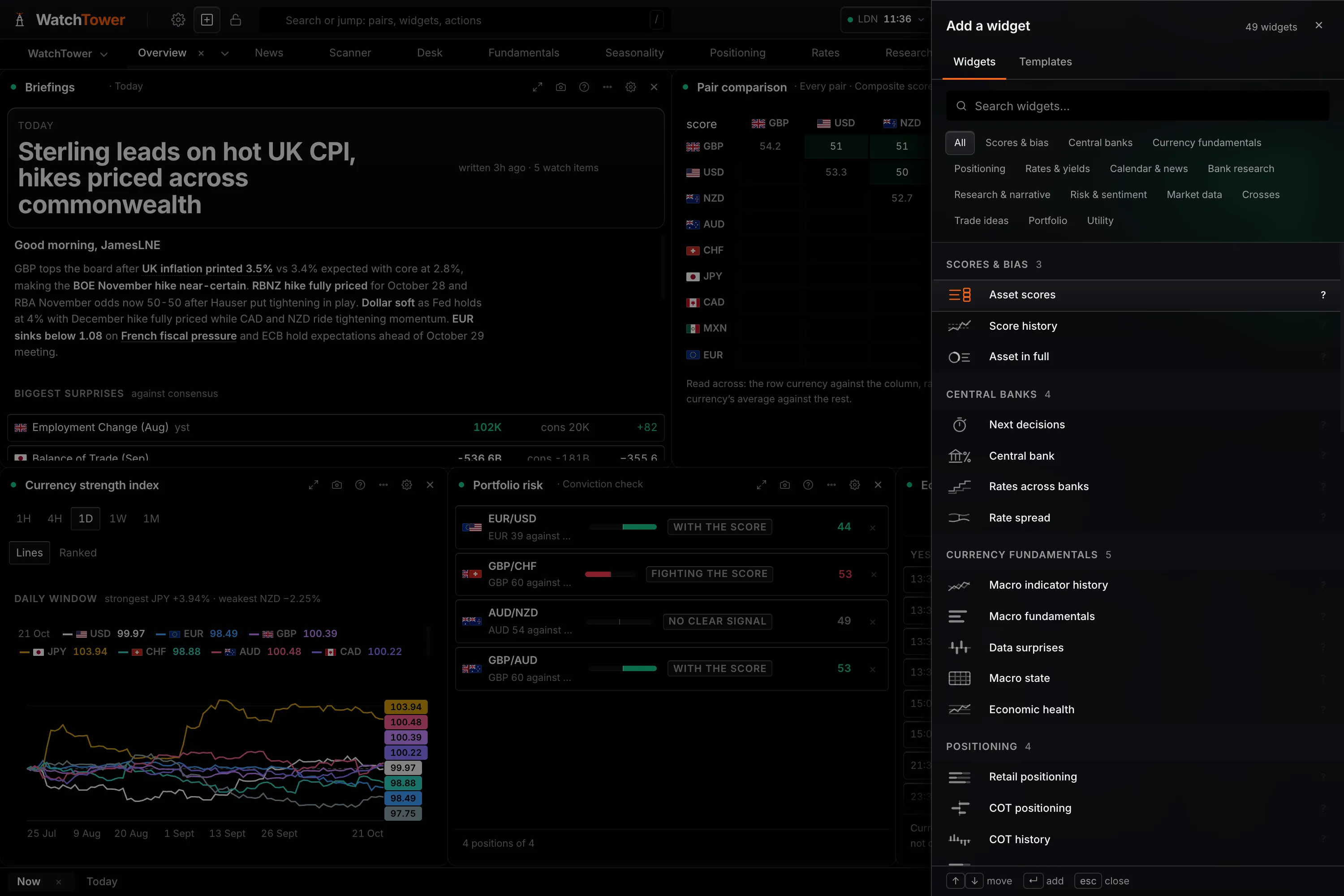
49 panels across 14 categories, every one placeable on a board you built, named by you, pointed at the market you care about, saved to your account rather than your browser. The cost is that you have to build it, and there is a template for that.
The distinction
Rearranging is not the same as building.
Most terminals
A fixed set of sections designed by somebody else, which you may reorder and sometimes resize.
The limit. The questions you can ask are the ones the sections were built to answer. A question that crosses two of them has no home.
This one
A tab is a board you made. Any of the 49 panels, in any arrangement, sized how you want, saved to your account.
The limit. You have to build it, and an empty grid on day one is harder than a ready-made layout. That cost is real and it is addressed below rather than glossed over.
What that means in practice
Five things that follow from it.
- Every panel is placeable
- All 49 of them, across 14 categories, on any tab you make.
- A tab is a board, not a section
- You name it, choose what goes on it, and set the subject it points at. Retarget the tab and every panel on it follows.
- Settings live with the panel
- Each panel keeps its own configuration and its own reads: one panel answers several questions, chosen in its settings, and its header names the read it is on. That is what makes two copies of the same panel useful: the same board twice, on two different currencies.
- Workspaces keep jobs apart
- A morning read and a research session are different arrangements. Keep both and switch between them rather than rebuilding one into the other.
- It follows you
- Boards save to the account rather than the browser, so the layout is the same on the desk and on the laptop.
Depth
Reorder, or decide what exists.
Being straight about it
An empty grid is harder than a ready-made one.
Freedom has a cost on day one, and the terminal's own numbers show it: readers who never place a panel do not stay. Selling the blank canvas as pure upside would be the easy line and the wrong one.
So there are 28 templates in 7 groups, each building a finished board in one press, and the picker leads with what most readers place first. Start from a template, delete what you do not use, and you have a layout that is yours without having begun from nothing.
The workspace, answered.
How many panels are there?
49 across 14 categories, and every one can be placed on a board you build. Most have several reads chosen in their settings, so one panel answers more than one question.
Can I make my own tabs?
Yes, and that is the difference worth understanding. Most terminals let you rearrange sections somebody else designed. Here a tab is a board you made: you name it, choose what is on it, and point it at the market you care about.
Is a blank grid not harder than a ready-made layout?
On the first day, yes, and it would be dishonest to pretend otherwise. That is why there are 28 templates in 7 groups, from The morning read to Central bank watch, each building a finished board in one press, and why the panel picker leads with what most readers place first. Build from a template and change what does not suit you, rather than starting from nothing.
Do my boards save?
To your account rather than to the browser, so the same layout appears on any machine you sign in from.
Can I have the same panel twice?
Yes, and it is one of the more useful things you can do. Each copy keeps its own settings, so the same comparison on two currencies sits side by side rather than being switched back and forth.
What does the free plan get?
15 of the 49 panels, 2 boards you build yourself, and every one of the 28 templates; a Pro panel inside a template shows its locked state on a free account. Boards save to the account on either plan. Pro, at $49 a month, opens every panel and unlimited boards, and every new account starts with 14 days of it with no card. Which panels are free is listed on the pricing page.